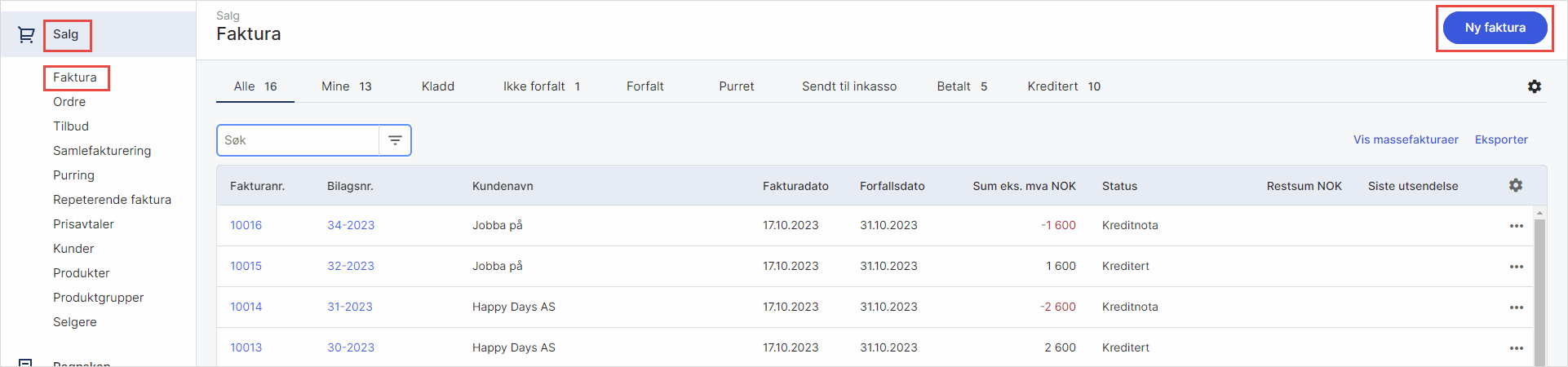
- Gå til Salg i venstremenyen og velg Faktura
- Klikk på Ny Faktura for å opprette en ny faktura og fyll ut
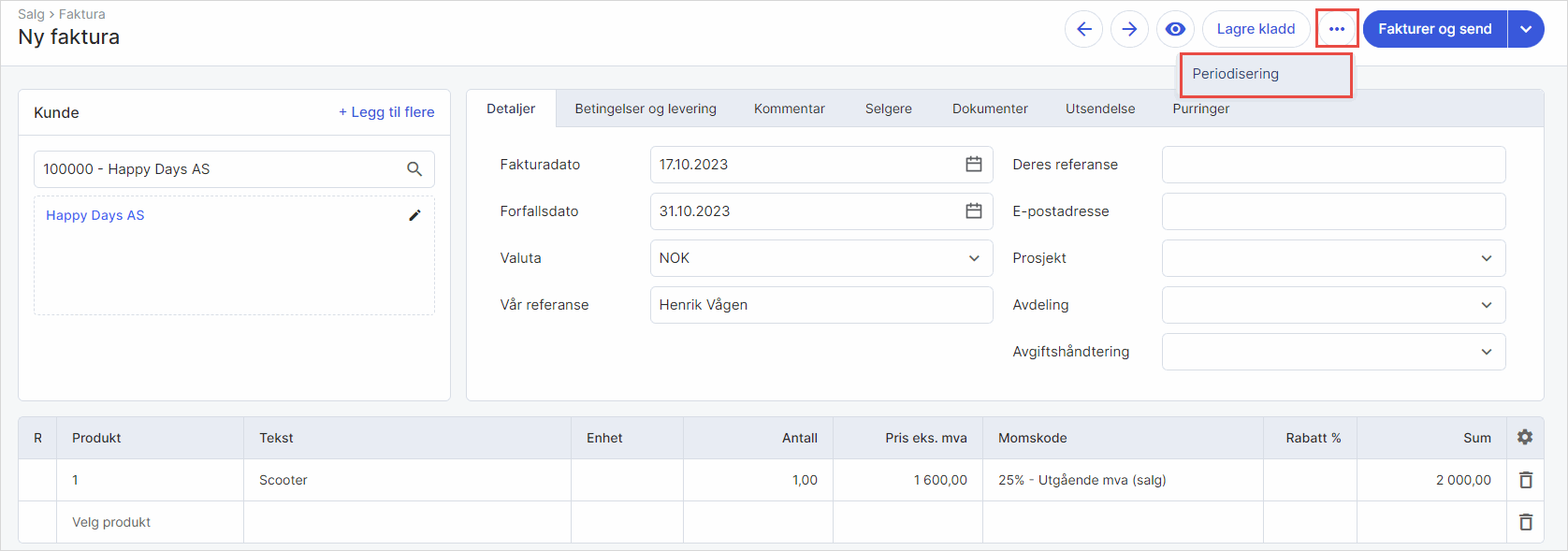
- Klikk på de tre kulepunktene og velg Periodisering
- Fyll ut og klikk på Lagre periodisering.
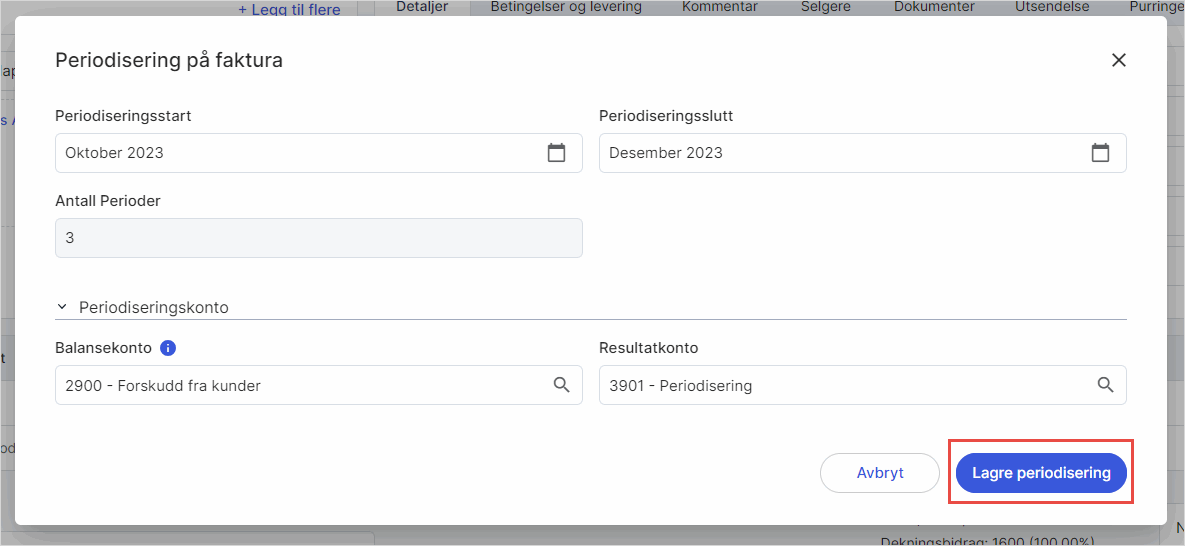
Om du ønsker at systemet skal foreslå andre hovedbokskontoer som standard, kan du endre balansekonto og resultatkonto under salgsinnstillinger.
Was this article helpful?
That’s Great!
Thank you for your feedback
Sorry! We couldn't be helpful
Thank you for your feedback
Feedback sent
We appreciate your effort and will try to fix the article