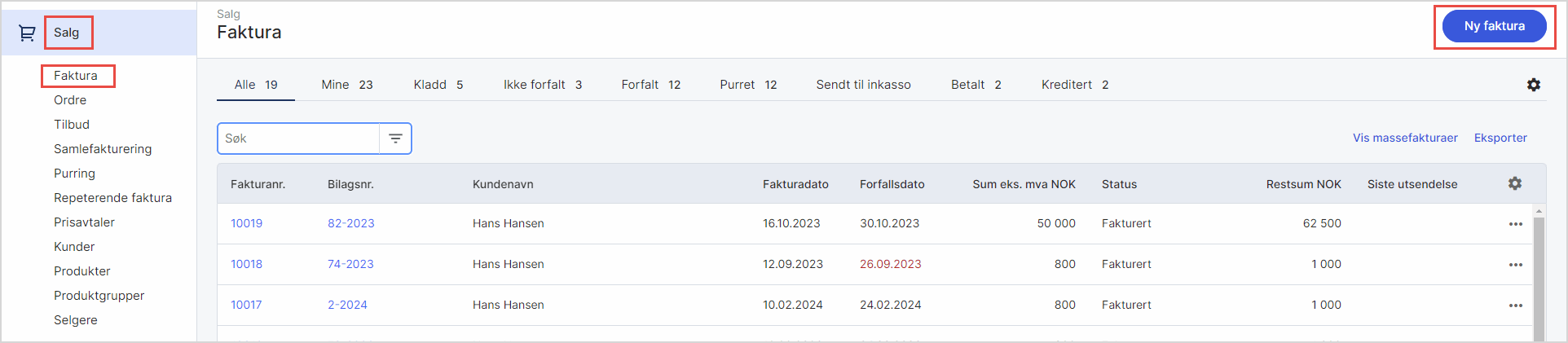
- Gå til Salg i venstremenyen og velg Faktura. Klikk på Ny faktura for å opprette ny faktura og fyll ut.
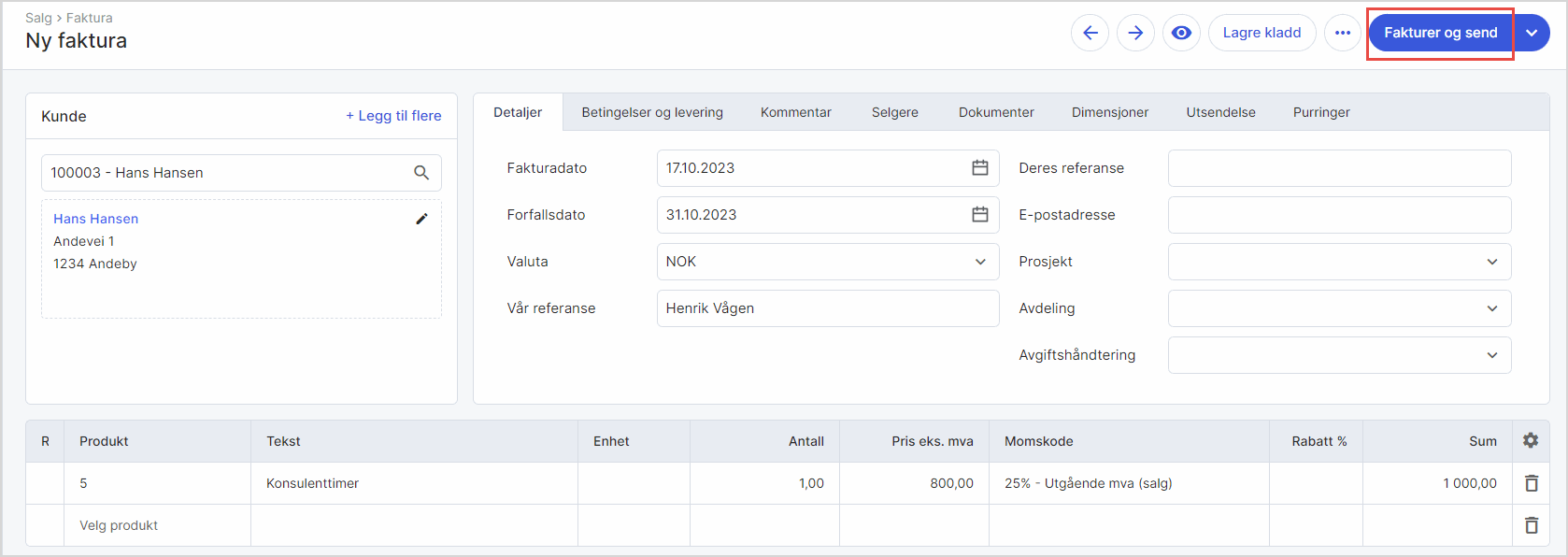
- Velg Fakturer og send på ferdig utfylt faktura. Fakturaen blir automatisk fakturert og bokført.
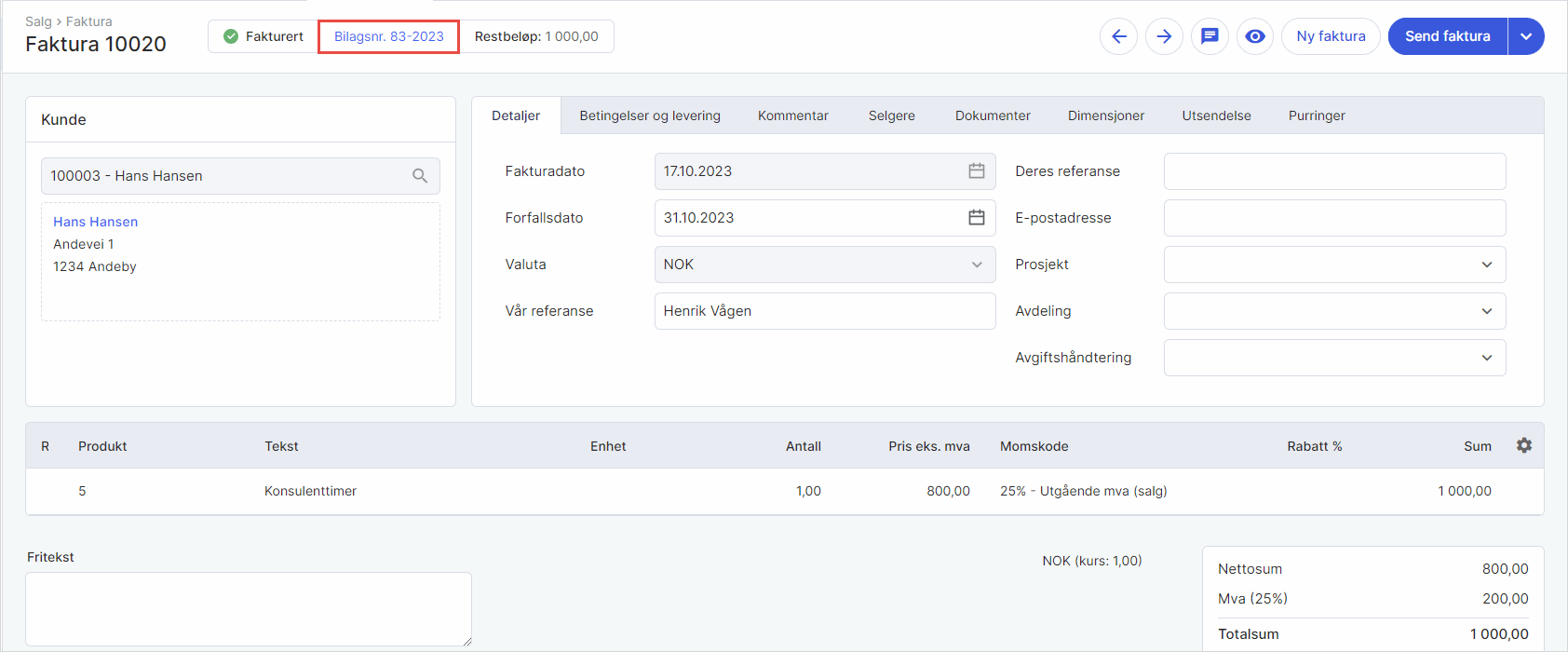
- Klikk på linken til bilaget øverst i fakturaoversikten for å komme direkte inn på fakturabilaget. Denne koblingen dukker først opp når fakturaen er sendt.
Was this article helpful?
That’s Great!
Thank you for your feedback
Sorry! We couldn't be helpful
Thank you for your feedback
Feedback sent
We appreciate your effort and will try to fix the article