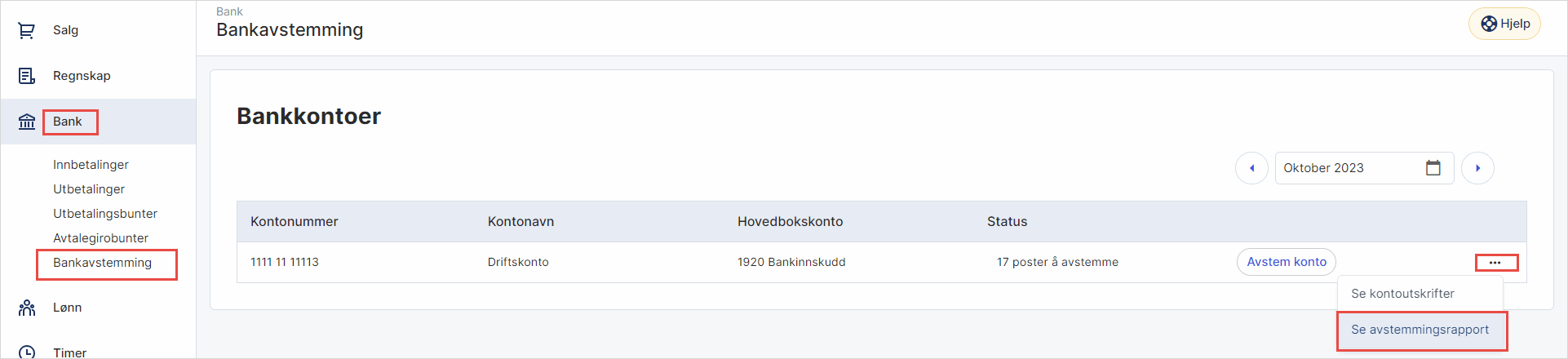
1. Gå til Bank i venstremenyen og velg Bankavstemming.
2. Klikk på de tre kulepunktene og velg Se avstemmingsrapport.
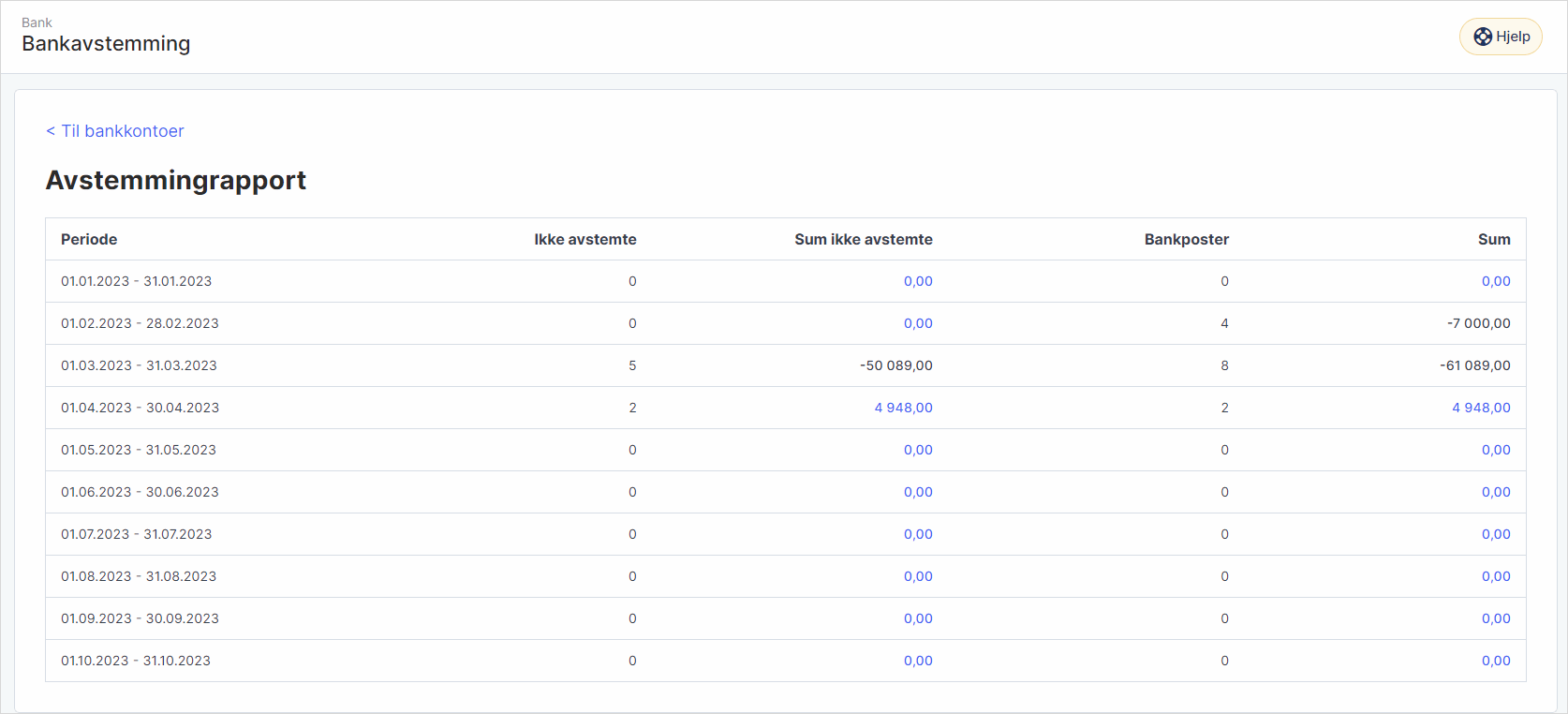
3. Du vil nå se en oversikt over avstemte poster per konto og sum innleste transaksjoner per måned.
Was this article helpful?
That’s Great!
Thank you for your feedback
Sorry! We couldn't be helpful
Thank you for your feedback
Feedback sent
We appreciate your effort and will try to fix the article